Modern Vacation Rentals With Fast WiFi: A 2026 Guide
Find modern vacation rentals with fast WiFi for remote work and streaming. Learn speed requirements, testing tips, and how to verify connectivity before.

Table of Contents
- Why Fast WiFi Matters in Modern Vacation Rentals
- Minimum Mbps Requirements for Streaming and Video Calls
- How to Test WiFi Speed at a Rental Before Booking
- Vacation Rentals for Remote Work: What to Look For
- Vacation Rentals With Dedicated Office Space
- Best Internet Hardware and Mesh Networks for Rental Properties
- Troubleshooting Connectivity Issues During Your Stay
- Legal and Liability Considerations for Guest Internet Usage
Last Updated: August 22, 2026
Why Fast WiFi Matters in Modern Vacation Rentals
Reliable connectivity has become essential to vacation rentals. Whether guests need to join work calls, stream entertainment, or stay connected with loved ones, slow or unreliable WiFi transforms a relaxing getaway into a frustrating experience. Modern vacation rentals with fast wifi have become the standard expectation, and hosts who invest in quality internet infrastructure gain a significant competitive advantage.
At Homestay Getaway, we understand that today's travelers expect fast, reliable internet alongside beautiful spaces. Properties equipped with high-speed connections attract longer stays, higher ratings, and repeat bookings. This guide explores what makes modern vacation rentals with fast wifi truly modern, and how to find or provide the connectivity your guests demand.
Minimum Mbps Requirements for Streaming and Video Calls
Understanding bandwidth requirements helps you assess whether a property can handle your planned use. Video conferencing requires a minimum of 2.5 Mbps download and 2.5 Mbps upload for standard definition, though 5-10 Mbps download and 5 Mbps upload provides comfortable headroom for HD quality and professional meetings (fcc.gov). Upload speeds matter because video calls are bidirectional.
Streaming requirements depend on quality: standard definition (480p) needs 3-4 Mbps, high definition (720p) requires 5-8 Mbps per stream, and 4K demands 15-25 Mbps for a single stream (peer-reviewed research). If multiple family members stream simultaneously, add the requirements together, a household with two HD streams and one video call needs roughly 18-20 Mbps minimum.
Gaming demands low latency (ideally under 50 milliseconds) alongside bandwidth (fcc.gov). A connection with 50 Mbps download but high latency will create lag and disconnections. WiFi stability matters as much as raw speed.
For remote work, the baseline is 10 Mbps download and 5 Mbps upload for comfortable productivity. If you're uploading large files, attending multiple video calls, or using cloud-based applications, 25 Mbps download and 10 Mbps upload provides genuine comfort.
How to Test WiFi Speed at a Rental Before Booking
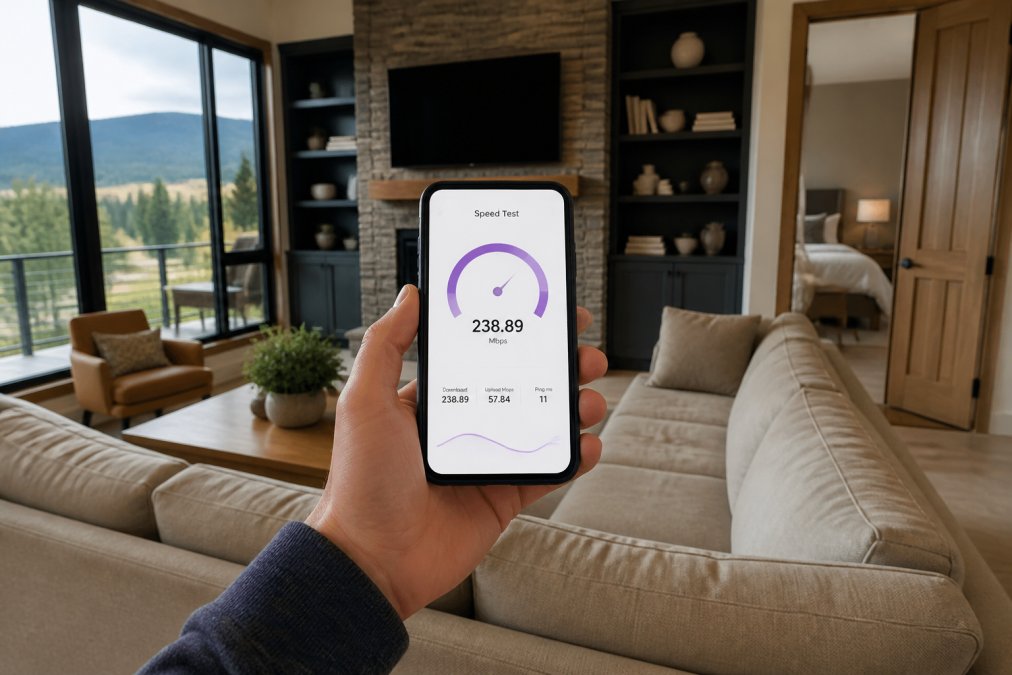
Testing internet speed before committing eliminates the most common disappointment with modern vacation rentals with fast wifi. Ask the host to run a speed test using Speedtest.net and share results from different times of day, particularly evening hours when residential internet is typically slowest.
If you can visit the property or arrange a virtual tour, run your own speed test while connected to the guest WiFi from the exact location where you'll be working or streaming. Results may vary by room, particularly in larger properties or multi-story homes.
Pay attention to both download and upload speeds and note the ping time (latency). A connection showing 100 Mbps download but 80ms latency will feel sluggish for video calls. Run the test multiple times, consistent results indicate stable infrastructure, while wildly varying results suggest congestion or equipment problems.
Ask the host about their internet setup. Is it fiber optic, cable, or satellite? Fiber provides the most reliable speeds, cable offers good performance in most areas, and satellite typically introduces latency that makes video calls challenging.
Vacation Rentals for Remote Work: What to Look For
Remote work fundamentally changes what makes a rental suitable. A beautiful beachfront property with mediocre internet becomes frustrating, while a modest home with fiber-optic connectivity and a dedicated office becomes genuinely valuable.
Start by identifying properties that explicitly advertise fast, reliable internet alongside remote work capability. Beyond speed, evaluate the physical workspace. Do they offer a dedicated desk or office area separate from bedrooms and living spaces?
Lighting matters significantly. Natural light reduces eye strain and maintains circadian rhythm alignment. Properties with large windows, particularly those facing north, work better than interior rooms. Noise isolation is critical, can you close a door between your workspace and common areas? Temperature control in your workspace prevents fatigue. Ask whether the property has zone control or if you can adjust temperature in your specific workspace.
Verify backup connectivity. Ask whether the property has a mobile hotspot option if the primary WiFi fails. Knowing a backup exists provides peace of mind for work-critical stays.
Vacation Rentals With Dedicated Office Space
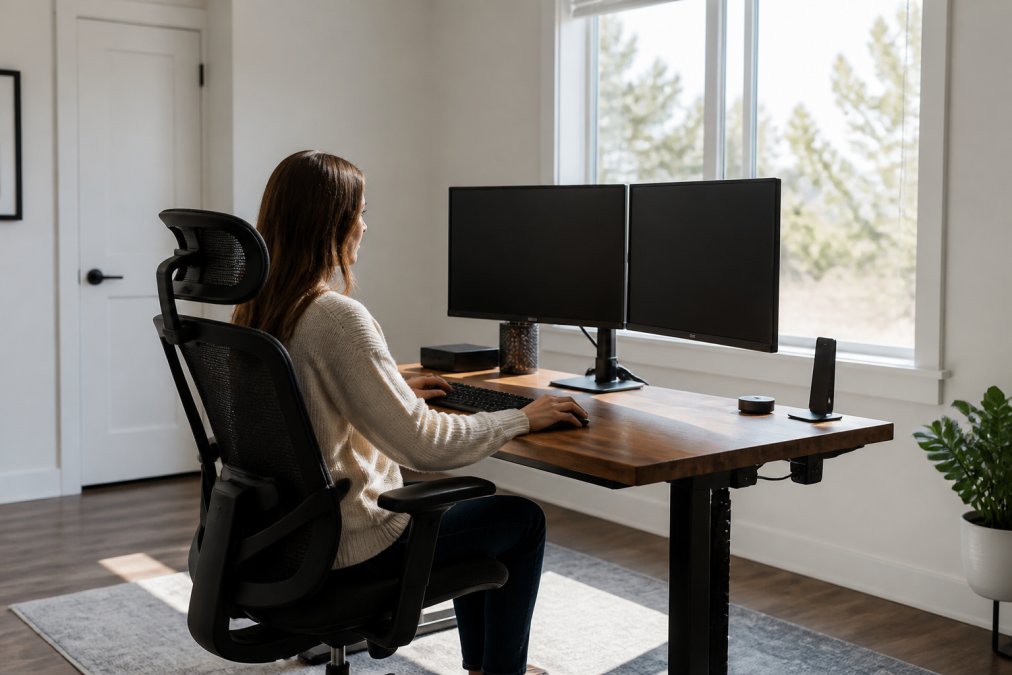
Dedicated office space separates serious remote work properties from casual vacation rentals that happen to have fast internet. A true office space includes a desk, chair, proper lighting, and ideally a door that closes.
Homestay Getaway properties may feature dedicated office areas with ergonomic furniture. The best spaces include a monitor, keyboard and mouse, desk lamps, and adequate power outlets. Some premium properties may provide standing desk options to reduce fatigue during extended work sessions.
Storage matters too. Dedicated office space with drawers or shelves lets you organize work materials, keeping them separate from personal items. Ask hosts specifically about office setup and request photos of the actual workspace. Properties advertising vacation rentals with dedicated office space typically charge premium rates, but the investment pays dividends if you're working during your stay.
Best Internet Hardware and Mesh Networks for Rental Properties
Hosts looking to attract remote workers should understand how internet hardware shapes guest experience. The best modern vacation rentals with fast wifi invest in quality equipment and strategic placement rather than relying on basic ISP routers.
Mesh networks have become the standard for larger properties. Unlike traditional routers that broadcast from a single point, mesh systems use multiple nodes that communicate with each other, providing consistent coverage throughout the property. Quality brands like Eero, Netgear Orbi, and TP-Link Deco offer reliable performance at reasonable price points.
Placement of mesh nodes is crucial. The primary node should connect directly to the modem via ethernet cable. Secondary nodes should be positioned roughly halfway between the primary node and the area they're covering, avoiding physical obstacles.
Dual-band routers (2.4 GHz and 5 GHz) provide flexibility. The 5 GHz band offers faster speeds over shorter distances, while the 2.4 GHz band travels farther and penetrates walls better. Modern devices automatically select the best band.
Ethernet connections matter for devices that support them. For properties with offices, running ethernet to the desk provides maximum stability and speed for work-critical activities.
Guest networks should be separate from the host's personal network. This improves security and prevents guests from accidentally accessing home automation systems or personal computers.
Troubleshooting Connectivity Issues During Your Stay
Even well-maintained properties occasionally experience connectivity problems. Start with the simplest fix: restart the router by powering it off completely, waiting 30 seconds, and powering it back on.
Check how many devices are connected to the network. If 15+ devices are connected, the router may be overwhelmed. Disconnect devices you're not actively using. Verify you're connected to the correct network, some properties broadcast both 2.4 GHz and 5 GHz bands as separate networks.
Move closer to the router or mesh node. Walls and distance significantly weaken WiFi signals. If speeds improve dramatically nearby, the problem is signal strength, not the connection itself. Restart your device if it maintains poor connections even when better ones are available.
Check the time of day. Residential internet often slows during evening hours (6 PM to 10 PM) when neighborhood usage peaks. Schedule bandwidth-intensive activities for off-peak hours.
Contact the host if basic troubleshooting doesn't resolve the issue. Provide specific information about what you're trying to do, error messages, measured speeds, and when the problem occurs.
Legal and Liability Considerations for Guest Internet Usage
Providing internet access to guests introduces legal considerations that hosts should understand. Guest internet usage falls under premises liability, and property owners generally aren't responsible for criminal acts committed by guests unless they knowingly facilitated the activity.
Most jurisdictions provide "safe harbor" protections for internet service providers and property owners who provide internet access in good faith. Implementing a basic terms-of-service agreement for WiFi access provides legal documentation that guests understand acceptable use policies. Consider requiring guests to acknowledge your WiFi terms before connecting.
Network security protects both you and guests. A properly configured guest network isolates visitor traffic from your personal systems. Some hosts implement bandwidth throttling or usage limits for guest networks to prevent a single guest from consuming all available bandwidth.
Verify that your rental property insurance covers guest internet usage and any associated liability. Standard homeowner's insurance typically doesn't cover business activities like vacation rentals. Document your internet infrastructure and maintenance to demonstrate due diligence.
Modern vacation rentals with fast wifi have become the baseline expectation for today's travelers. Whether guests are working remotely, streaming entertainment, or staying connected, reliable internet infrastructure directly impacts satisfaction and booking decisions. Homestay Getaway prioritizes fast, dependable WiFi across all our properties, recognizing that high-speed internet is as essential as comfortable beds and clean kitchens. When you book with us, you're choosing properties designed for contemporary travel, complete with the connectivity and comfort today's families and groups demand. Reserve your stay today and experience the difference quality internet makes
Frequently Asked Questions
Q: What is considered 'fast' WiFi for remote work in a modern vacation rental?
A: Fast WiFi for remote work typically means download speeds of 25 Mbps or higher and upload speeds of at least 10 Mbps. For video conferencing, streaming, and simultaneous work tasks, 50+ Mbps download is ideal. Latency should be below 50 milliseconds to avoid lag during calls. When evaluating modern vacation rentals with fast WiFi, check the host's speed test results or ask for recent bandwidth documentation before booking.
Q: How can I verify the actual internet speed of a vacation rental before booking?
A: Request recent speed test results from the host using Speedtest.net or similar tools. Ask specifically for download speed, upload speed, and latency measurements. Many property managers now provide screenshots of speed tests in their listings. You can also contact the rental's internet service provider directly to verify service availability. For vacation rentals for remote work, get written confirmation of minimum speeds and ask about backup connectivity options before committing.
Q: Do modern vacation rentals typically offer dedicated workspaces?
A: Many modern vacation rentals now include dedicated office space, though availability varies. Look for properties that specify a separate desk, office room, or workspace with ergonomic seating. Vacation rentals with dedicated office space often feature proper lighting, noise isolation, and reliable hardwired ethernet connections alongside WiFi. When booking, confirm the desk setup is suitable for full workdays and ask about internet stability during peak hours, especially if multiple guests will work simultaneously.
Q: What should I do if WiFi fails during my stay at a vacation rental?
A: First, restart the router by unplugging it for 30 seconds. Check if other devices connect to identify if it's a device-specific issue. Contact the property host or management immediately with specific details about the problem. Ask about backup connectivity options such as mobile hotspot capability or alternative internet access. Reliable hosts should respond within 1-2 hours. For critical work, confirm emergency contact procedures before arrival and consider having a mobile data backup plan ready.
This article was written using GrandRanker